Toolsinside bar scan for thinkorswim
Mother Bar Sweep Scan
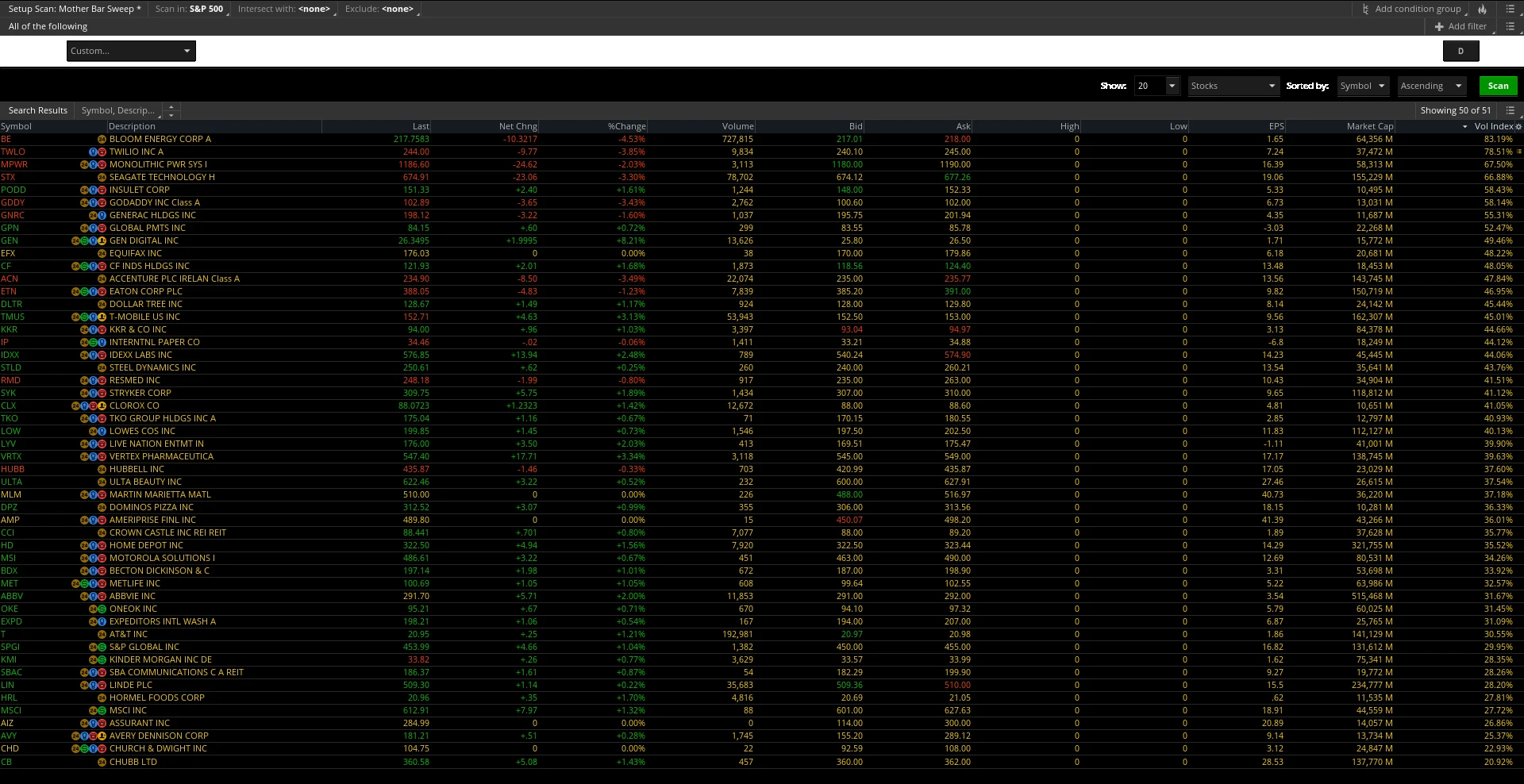
Find a sweep of the mother bar.
This is a Stock Hacker scan query. It does not draw lines. A symbol passes when a later bar trades through the mother bar and closes back through that same level.
$29once
What it finds
- An inside bar is one whose high is below the prior high and whose low is above the prior low. The mother bar is the bar just before that inside bar.
- Bullish is yes by default. That looks for a bar whose low is below the mother low and whose close is back above the mother low.
- Set Bullish to no and it looks for a bar whose high is above the mother high and whose close is back below the mother high.
- The inside bar itself is not a match. The sweep has to print on a later bar, at most Lookback bars after the inside bar. Lookback defaults to 10.
- The script does not filter by volume and it does not send an alert. Stock Hacker uses the symbol list and aggregation you set.
Install the scan on Windows
- On the thinkorswim desktop for Windows, open the Scan tab and choose Stock Hacker.
- Open the scan query menu (the menu on the scan setup) and choose Load Scan Query.
- Select MotherBarSweepScan.ts. This file is a scan query, with plot scan, so it loads here rather than through Charts, Studies, Import.
Questions
What does the sweep scan find?
It finds symbols where a later bar sweeps the mother bar and closes back through that level. With Bullish left on yes, the bar's low is below the mother bar's low and the close is back above that low. Set Bullish to no and it looks for a bar whose high is above the mother bar's high and whose close is back below that high. The mother bar is the bar immediately before an inside bar. The match has to land after that inside bar, and no later than the Lookback (10 bars by default).
Does the scan work on any timeframe?
The script does not lock a timeframe. Stock Hacker runs it on the aggregation you pick for the scan.
Is the sweep scan included with the desk?
No. A monthly desk, an annual desk, and the 7-day trial do not include it. It is a separate $29 purchase, the same way Options 201 is sold.
What is the refund policy?
Refunds follow the same handling as Options 201. A full refund issued in Stripe removes access to the download.
Does it work on thinkorswim?
Yes. It is a Stock Hacker scan query for the Charles Schwab thinkorswim desktop platform on Windows. ALGO Swamp is not affiliated with or endorsed by Charles Schwab or thinkorswim.
A $39 bundle with Mother Bar Levels and the Mother Bar Sweep Scan is coming soon. Each file is $29 on its own until then.